Seamless Fall Leaves Patterns: Design Versatility Meets High-Resolution Craft Precision
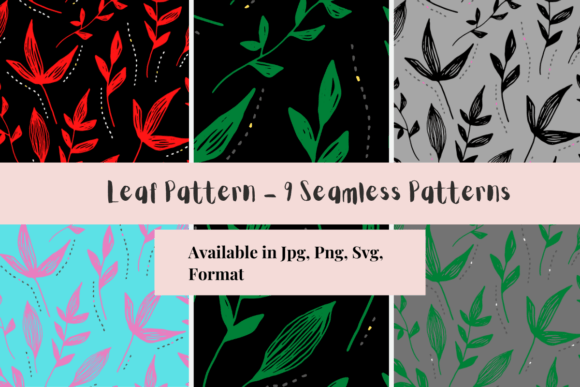
Seamless Fall Leaves Patterns represent more than seasonal decoration—they’re a functional design asset engineered for real-world creative workflows. At their core, these patterns merge botanical authenticity with technical precision: each iteration is crafted to repeat flawlessly across any surface, without visible seams or alignment breaks. The specific variant referenced—3600×3600 pixels, 12×12 inches at 300 DPI—reflects a deliberate balance between print fidelity and digital flexibility. This resolution ensures crisp detail on physical substrates while remaining manageable for editing in industry-standard software like Adobe Photoshop, Affinity Designer, or Procreate.
Why Seamless Matters Beyond Aesthetics
“Seamless” isn’t just a design buzzword—it’s a functional requirement rooted in material behavior and production constraints. When applied to sublimation printing, for example, a non-seamless pattern introduces visible tile edges on curved mugs, fabric wraps, or apparel panels. That break in continuity disrupts visual cohesion and undermines perceived quality. In contrast, a truly seamless Fall Leaves Pattern allows designers to scale the motif across irregular shapes—think tumblers, tote bags, or custom wall decals—without manual cloning or edge-blending workarounds. This saves time, reduces error rates, and supports consistency across product lines.
Seamlessness also enables dynamic adaptation. A designer working on a large-format banner can tile the same 12×12-inch file across a 48×72-inch layout without recalibrating color or contrast at junctions. Educators preparing classroom materials—like autumn-themed bulletin board backdrops or laminated learning cards—benefit similarly: one file serves posters, handouts, and digital slides, eliminating version fragmentation.
Technical Specifications as Creative Enablers
The 3600×3600 pixel dimension at 300 DPI isn’t arbitrary. It reflects a standard that bridges screen-based design and high-fidelity output:
- 300 DPI (dots per inch) is the industry benchmark for professional print clarity—especially critical for sublimation transfers onto polyester fabrics or coated hard goods where ink diffusion must be tightly controlled.
- 12×12 inches aligns with common craft cutting mat sizes (e.g., Cricut Maker or Silhouette Cameo), enabling direct import for vinyl or heat-transfer projects without scaling distortion.
- 3600×3600 pixels provides sufficient resolution for both full-bleed prints and selective cropping—say, isolating a single maple or oak leaf for embroidery digitizing or laser-cut stencils—while staying under typical upload limits for e-commerce platforms and print-on-demand integrations.
This specification set supports multi-stage workflows. A small-batch candle maker might use the full pattern for jar labels, then extract individual leaf silhouettes for embossed lid designs. A textile artist could layer the pattern beneath hand-stitched elements, using its organic rhythm to guide thread placement without competing visually.
Diverse Applications Across User Groups
What makes Fall Leaves Patterns uniquely adaptable is how they serve distinct goals across professions—not as decorative afterthoughts, but as structural components of process and output.
Hobbyists and Makers
For home crafters, seamlessness translates directly to reduced friction. No need to mirror or offset tiles manually when designing pillow covers or quilt blocks. The consistent 300 DPI resolution ensures sharpness whether printed on iron-on transfer paper or cut from adhesive vinyl. Many users report repurposing the same file across mediums: sublimating it onto ceramic coasters, then reusing the alpha channel to generate a stencil for wood-burning projects.
Educators and Curriculum Developers
In classrooms, these patterns support tactile learning beyond visual appeal. Teachers print them on cardstock for sorting activities (e.g., grouping leaves by shape or vein structure), laminate them for durable nature-science stations, or embed them into interactive PDFs for virtual field trips. Because the pattern repeats without distortion, students can zoom into leaf margins to observe serrated edges or lobed anatomy—details preserved at full resolution even when enlarged 400% on an interactive whiteboard.
Small Business Owners and Print Providers
For entrepreneurs offering custom merchandise—tote bags, phone cases, or stationery—the reliability of a seamless base file streamlines production. One pattern can populate multiple SKUs without redesigning layouts for each size. Sublimation shops appreciate the embedded color profile (typically sRGB or Adobe RGB) and absence of transparency artifacts, which prevent banding or halo effects during heat press cycles. Several boutique printers note reduced customer service inquiries related to “misaligned prints”—a frequent pain point with non-seamless assets.
Graphic Designers and Brand Strategists
Design professionals leverage Fall Leaves Patterns not just for literal autumn campaigns, but as textural anchors in broader visual systems. A wellness brand launching a fall wellness kit might overlay the pattern subtly beneath typography to evoke groundedness without overt seasonality. Its organic flow supports hierarchy: larger-scale repeats draw attention to headers; smaller-scale tiling works for background textures in email newsletters or social media carousels. Because the pattern avoids rigid symmetry, it feels human-made—not algorithmically generated—supporting brand authenticity.
Real-World Considerations for Implementation
While technical specs provide confidence, practical success depends on context-aware usage. Three considerations consistently emerge from user feedback:
- Color Mode Alignment: Always verify whether your output device requires CMYK (for commercial offset printing) or RGB (for sublimation and digital displays). Most Fall Leaves Patterns ship in RGB for maximum vibrancy on screens and heat-transfer applications—but converting to CMYK prematurely may mute warm amber and rust tones. Best practice: retain RGB until final export for sublimation; convert only when sending to traditional lithographic printers.
- Scale Integrity: Though seamless, the pattern’s visual weight changes dramatically with scale. At 50% size, fine veins blur; at 200%, individual leaves dominate and lose contextual rhythm. Test prints at actual output size before mass production—especially for apparel, where fabric drape affects perceived density.
- Layer Compatibility: If layering over photographs or gradients, ensure blending modes (e.g., Multiply or Overlay) are applied non-destructively. Some users mistakenly flatten layers before adjusting opacity, losing editability. Keeping the pattern on its own layer preserves flexibility for future revisions—critical for businesses updating seasonal collections annually.
Pattern Composition: More Than Just Foliage
A high-performing Fall Leaves Pattern goes beyond leaf count or color variety. Its composition follows principles observed in natural ecosystems: variation in size, orientation, and translucency mimics how light filters through canopy layers. Look for intentional negative space—not empty gaps, but breathing room between clusters that prevents visual fatigue. The best iterations include subtle textural shifts: matte surfaces for birch, glossy sheen for magnolia, slight curl on dried oak edges. These micro-details translate into tactile perception, even in flat prints.
Also notable is botanical accuracy. While stylized, top-tier patterns reference real species—sugar maple, ginkgo, sweetgum—rather than generic “leaf shapes.” This matters for educators teaching plant identification and for designers seeking regional resonance (e.g., using native species in local tourism collateral).
Extending Utility Through Modular Use
Many creators maximize value by treating the pattern as a modular toolkit. For instance:
- Isolate individual leaves using selection tools, then recolor them to match brand palettes—transforming a warm-toned pattern into a monochrome charcoal study for modern interiors.
- Apply displacement maps to simulate embossing or debossing effects, adding depth to packaging mockups without physical prototyping.
- Use the pattern’s alpha channel to create custom brushes in Procreate or Photoshop—turning leaf outlines into stamp-like tools for hand-lettered journaling or sketchnotes.
This modularity reinforces sustainability in creative practice: one purchase supports years of iterative reuse, reducing reliance on stock subscriptions or fragmented asset libraries.
Looking Ahead: Pattern Intelligence and Workflow Integration
Emerging trends suggest seamless patterns are evolving beyond static files. Designers increasingly seek assets compatible with generative tools—patterns that adapt hue based on ambient light data (for smart signage) or respond to user interaction in web-based experiences. While today’s Fall Leaves Patterns operate as stable, offline-ready resources, their clean vector-compatible raster foundation makes them ideal candidates for such upgrades. Future iterations may include layered PSD files with editable leaf groups, or JSON metadata describing botanical attributes for AI-assisted design suggestions.
What remains constant is their foundational role: not as isolated graphics, but as interoperable infrastructure. Whether anchoring a kindergarten lesson plan, accelerating a sublimation production run, or grounding a luxury brand’s seasonal identity, seamless Fall Leaves Patterns deliver measurable efficiency—proving that thoughtful technical execution and aesthetic warmth aren’t mutually exclusive.